
How to Use Instagram Highlights Effectively

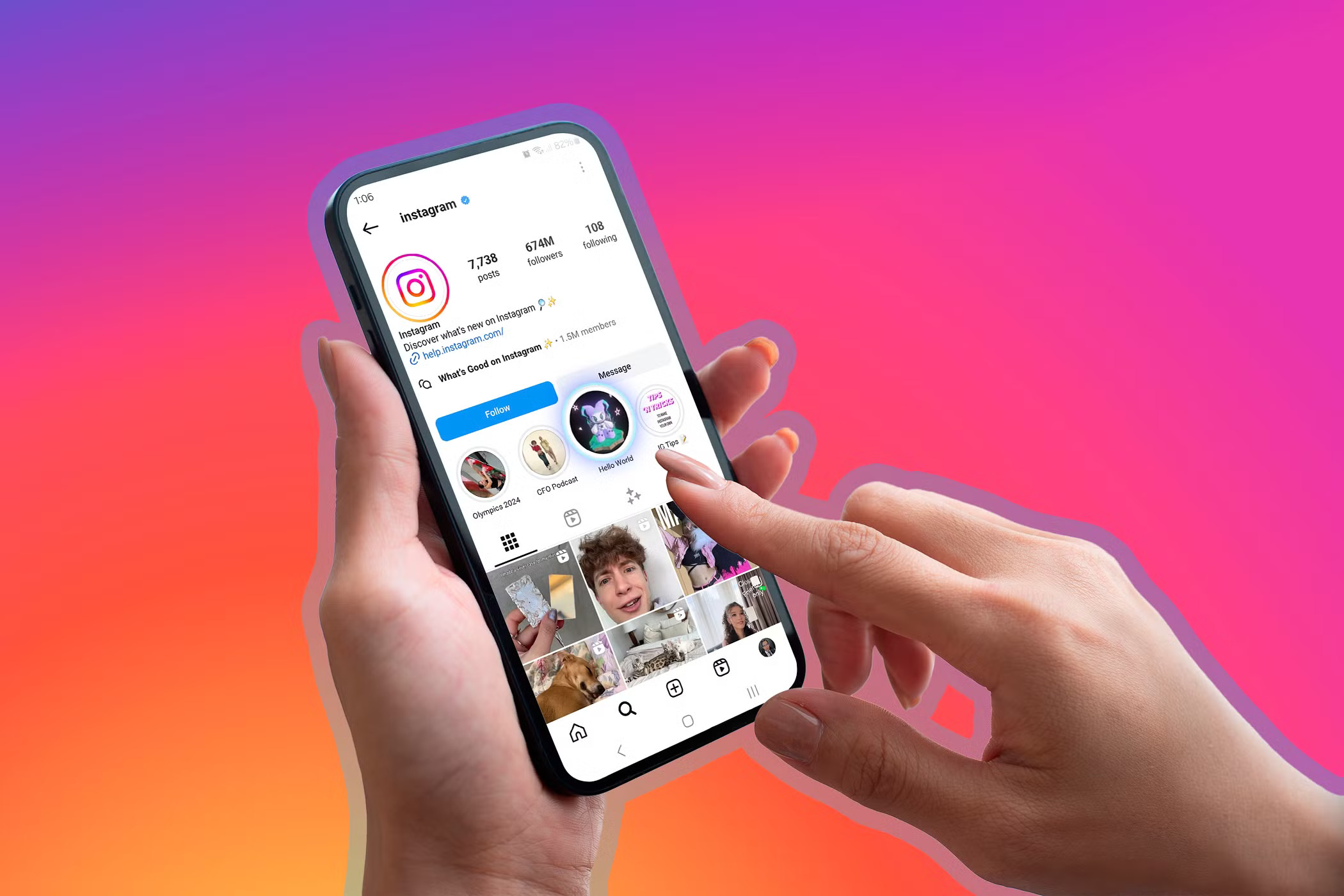
Instagram Highlights are one of the most underused yet powerful features of the platform. They live at the top of your profile—right under your bio—and act as a permanent showcase of your best content. If you’re not using Highlights correctly, you’re missing out on a massive opportunity to make a strong first impression and drive more conversions.
In this article, we’ll break down how to use Highlights effectively in a simple, step-by-step way, with examples, structure ideas, and proven tips that help turn your viewers into followers—and followers into clients.
Why Instagram Highlights Matter
Think of Highlights as your website’s homepage tabs. When someone lands on your profile, they might not scroll through all your posts. But they will glance at your Highlights. So if these are properly curated and designed, they guide the visitor, tell your story, and increase trust.
Key reasons to use Highlights:
- Show your expertise
- Educate your audience
- Showcase testimonials
- Offer freebies or courses
- Answer FAQs
- Share behind-the-scenes content
Basic Structure: What to Include
Let’s break down how to set up a strong Highlights section.
| Highlight Title | Content to Include |
|---|---|
| About Me | Who you are, what you do, your backstory |
| Client Results | Before-after results, testimonials, reviews |
| Free Resources | Any free PDF, checklist, webinar, etc. |
| Services/Courses | Details about your offers, prices, and how to buy |
| Tips | Value-based content to help build trust |
| Behind the Scenes | Your process, tools, working methods |
| FAQs | Common questions and simple, clear answers |
👉 If you’re selling a course, like the Instagram Growth Hacks Mastery, dedicate one full highlight to it. Add teaser clips, testimonials, and how it helps.
How to Create Professional Looking Highlights
You don’t need to be a designer to make your Highlights look neat and professional. Follow these steps:
1. Use Branded Covers
- Use your brand colors
- Icons are better than words (e.g., a lightbulb icon for tips)
- Keep them consistent
There are many free tools like Canva where you can create uniform highlight covers.
2. Plan the Story Before Posting
Remember: you can only add Stories to Highlights. So plan your content first:
- Keep each story short and direct
- Use text that is easy to read
- Add a strong CTA (Call To Action) like “DM me for more” or “Check the link in bio”
Once it’s live, you can add it to the right Highlight.
3. Organize by Themes
Do not mix topics in a single highlight. For example, don’t put your “Client Wins” and “Tutorials” together. Keep it clear.
The Flow to Follow
Here’s the flow that works best:
- Attract with a benefit-driven title
Example: Instead of “Randoms”, use “Free Insta Tips” or “Start Here” - Start with social proof
First story should be about how you helped someone or real results. - Then educate
Share simple tips, strategies, or lessons. Keep them snackable. - End with a CTA
“Want to learn more? Enroll in my course” – and drop the link in bio.
Pro Tips to Use Highlights for Growth
1. Pin Testimonials for Social Proof
Real results build trust. Add screenshots of DMs, comments, or success stories inside a “Results” or “Feedback” highlight.
2. Make One Highlight Just for Your Course
Highlight everything about your offer:
- Who it’s for
- What it includes
- Before/after examples
- Limited-time offers
- How to buy with a link to your Instagram Growth Hacks Mastery Course
3. Update Regularly
Old Highlights signal an inactive profile. Add fresh stories often, especially around launches, offers, or updates.
4. Use View Insights
Check which highlights people tap on most and optimize the order. Put your best-performing one first.
Common Mistakes to Avoid
| Mistake | Why It Hurts Your Growth |
|---|---|
| Too many mixed stories | Confuses your viewer |
| No clear CTA | Misses chance to convert viewer |
| Unbranded or messy covers | Looks unprofessional |
| Outdated content | Reduces credibility |
| Irrelevant stories | Reduces engagement and watch time |
Real-Life Application: Selling via Highlights
Let’s say you’re selling a digital product like a course. Here’s how your Highlights strategy should look:
- Start Here – Who you are and what you help with
- Client Results – Real proof from people who used your strategies
- Course Details – What’s inside the course, why it works
- Testimonials – Video feedback or screenshots
- Free Tips – Give a taste of what you teach
- FAQs – Remove any doubt or hesitation
This structure builds trust, educates, and sells—all from the top of your profile.
Final Thoughts
Using Instagram Highlights effectively can make the difference between a visitor who scrolls away and one who becomes a loyal follower or paying customer. Highlights are like mini-landing pages right on your Instagram profile.
So take time to design, organize, and optimize them.
And if you’re ready to turn your Instagram into a lead-generating machine, enroll in the full Instagram Growth Hacks Mastery course for proven strategies, templates, and guidance.

 Subscription
 Performance Subscription
 Premium Subscription
 Base Subscription
 Furniture
 Bed
Bed Kitchen
 Almirah and Wardrobe
 LCD Cabinet
 Verified Partner
 Earn Money
 AI & Data Science
 Business & Startup
 Cybersecurity & Cloud
 E-commerce & Sales
 Marketing & Growth
 Web/App Development
 AI Digital Marketing
 Certificate Assessment Test

 Register for Learning